
HomeAdobeColor Correcting With Magic Bullet Color Suite v.12 Looks

Color Correcting With Magic Bullet Color Suite v.12 Looks

I’m no colorist but I do enjoy grading and getting the most out of an image. I recently upgraded to the new Red Giant V.12 Magic Bullet Color Suite. Wow is this a nice upgrade!

I have all the tools I need in one place with the scopes to assist me too. Colorista is very powerful and super easy to use. It’s my main tool for grading and correcting. In this little demo I walk you thru a basic off color or white balanced shot. The camera was set for full sun and this cute little girl was in full shade. With a few easy corrections the image is all fixed.

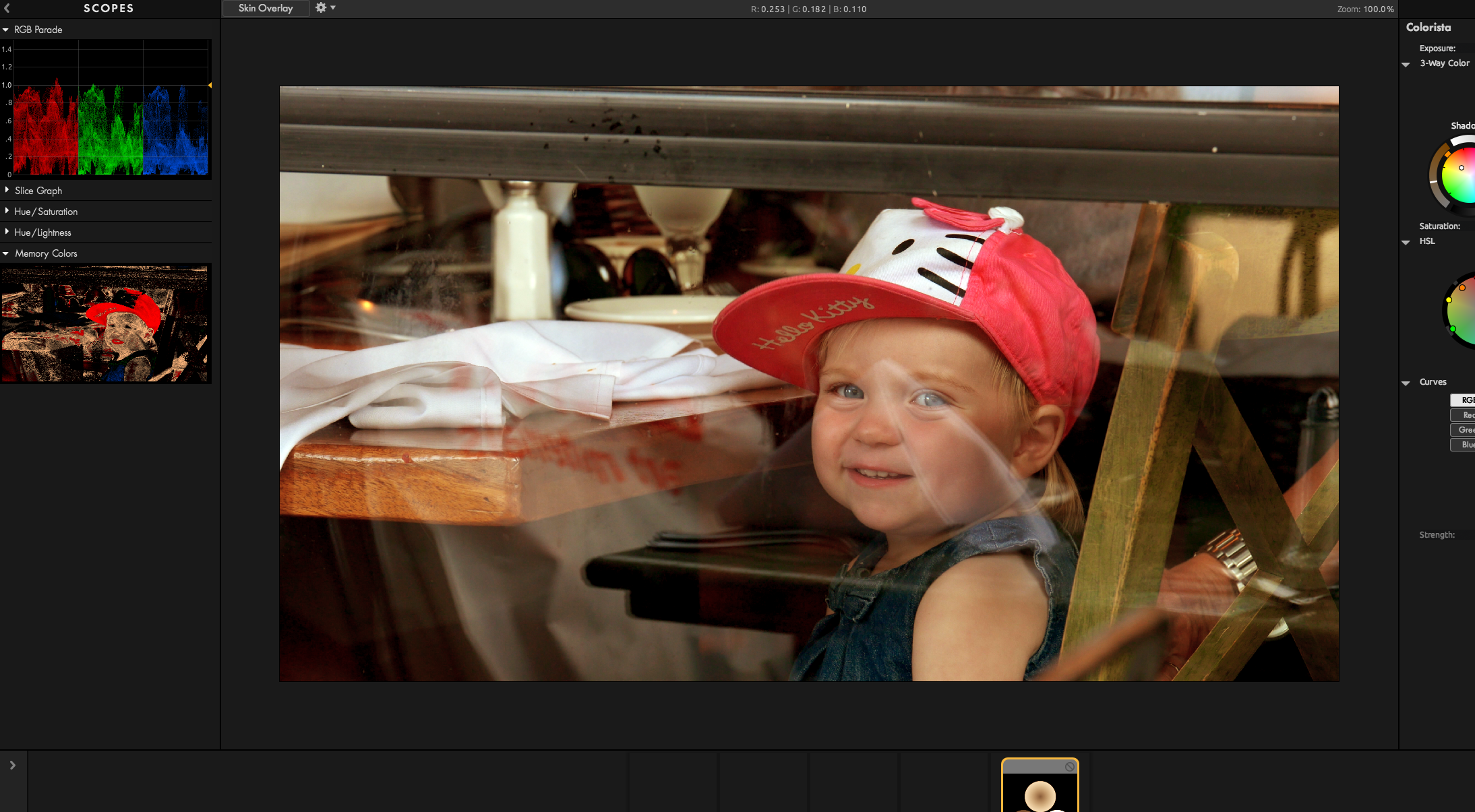
Using the new Memory Color scope gets the skin so close I almost feel like it’s cheating. but it’s so spot on. Once you get it close then use your eye to make it the way you want. It’s not a hard rule to only use the scope info, it’s just great to know you are so close. The same goes for shadows. On the table is a white napkin and the Memory Color scope is showing a lot of blue on it. All I need to do is go the opposite direct of the color thats off and that usually gets you half way their. Now tweak the whole image to your liking. So easy even I can do it!

Below is the final grade. I took a little more red out of the skin. Click the image to see it full size.
Screen Shot 2015-05-03 at 3.30.30 PM

Follow me on Twitter @eriknaso and check out my page on Facebook.

Thanks for coming by! Please help support my site by using the links on this page or bookmark these from my favorite retailers, B&HAdorama, ZacutoAmazon.com & Think Tank Photo. Using the links cost you nothing extra, but it helps offset the cost of running my blog. Thanks again for coming by eriknaso.com!

Erik Naso
Erik Nasohttp://eriknaso.com
I'm a broadcast DP In San Diego. I enjoy sharing what I'm working on and testing new equipment. This blog is also part of giving back. I've learned so much from so many people.
RELATED ARTICLES

LEAVE A REPLY

Please enter your comment!
Please enter your name here

Most Popular

Recent Comments

David Patterson on It’s been a while…
Allan Crocket (slidemaster) on RodeLink Audio Sample And Testing
Christopher John Taylor on AJA CION Now Shipping
Christopher John Taylor on Benro H8 Fluid Head Hands On Review
CreationHacker on Sony Alpha A7s Hands On Review
Bev Woodworth on Welcome! About Me
Nate Ilardi on Trusmt Follow Focus
Cody Travis Maher on SmallHD DP4 EVF Hands On Review
Jamieson Casacop on Canon C100 Hands On Review
Micaela Hamilton on Canon C100 Hands On Review
Stephen on Welcome! About Me
william scherer on Canon C100 Hands On Review
abdullah öztürk on Subscribe To RSS Feed
Erik Naso on Team Tilta Vanishes
Robb Harriss on Team Tilta Vanishes
Hossien on Team Tilta Vanishes
Erik Naso on Team Tilta Vanishes
Hossien on Team Tilta Vanishes
Erik Naso on Team Tilta Vanishes
Dave Harrison on Canon C100 Hands On Review
James Knightly on Canon C100 Hands On Review
Mário Matos on The New Sony F5 Has Landed
Mário Matos on GH3 Rumored Specifications
Erik Naso on Trusmt Follow Focus
Bob Naran on Trusmt Follow Focus
Erik Naso on Trusmt Follow Focus
bernie rao on Trusmt Follow Focus
Bernie Rao on Trusmt Follow Focus
Erik Naso on Trusmt Follow Focus
Bernie Rao on Trusmt Follow Focus
Erik Naso on Welcome! About Me
Michelle on Bryce Canyon Utah
Erik Naso on Welcome! About Me
Hunter on Welcome! About Me
Erik Naso on Welcome! About Me
Hunter on Welcome! About Me
Ric Shellhammer on The Making Of A Shoulder Rig
Erik Naso on Welcome! About Me
Paul Richards on Welcome! About Me
Video Ipad Tutorials on Virgin River Canyon