
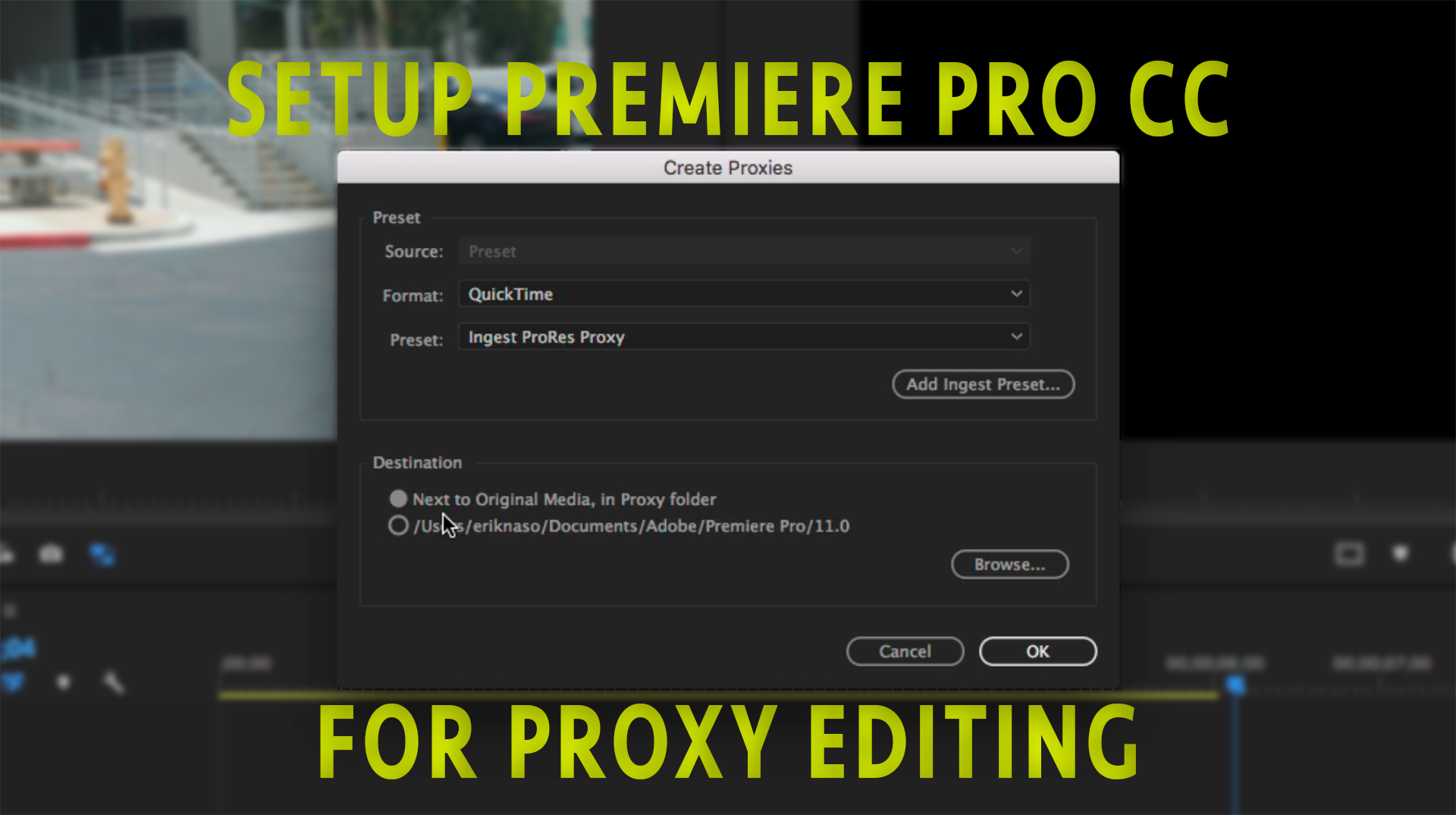
HomeAdobeThree ways to setup Premiere Pro CC for editing with proxies

Three ways to setup Premiere Pro CC for editing with proxies

I’ve been shooting more UHD these days and find my computer can struggle with these files. Especially the Long 10 bit from the GH5. Lately I’ve been editing with Proxy in Premiere Pro CC 2017 but I found getting it setup to be a little confusing. Well after I got it all sorted out I felt it was a good process to share.

Another option is to setup Premiere Pro to create Proxies when you import video automatically. I don’t prefer this method because sometimes I’m using different cameras and graphics that I don’t need proxies for so doing them manually is my preferred method.

Here’s how to setup Premiere Pro to create Proxies on ingest.
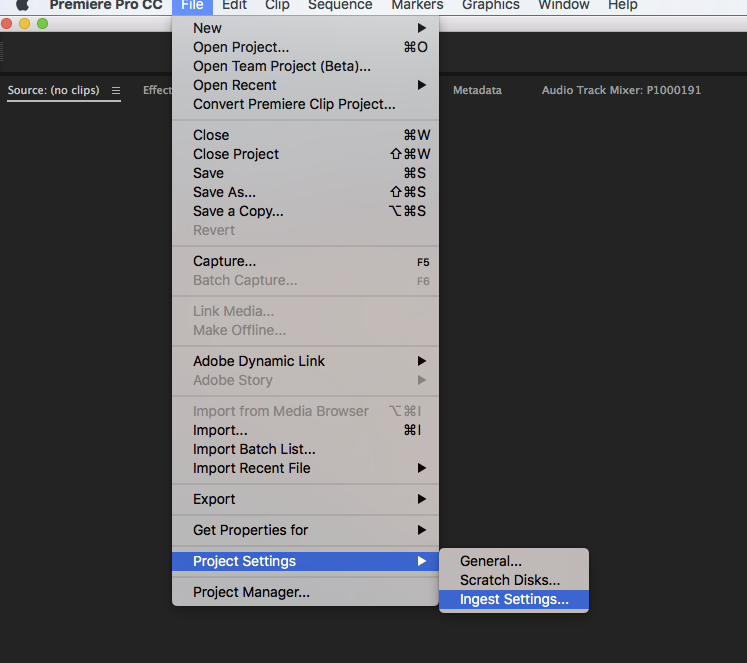
Premiere Pro Ingest Settings

Under file go to Project Settings/Ingest Settings. Now you can select the type of files you want.
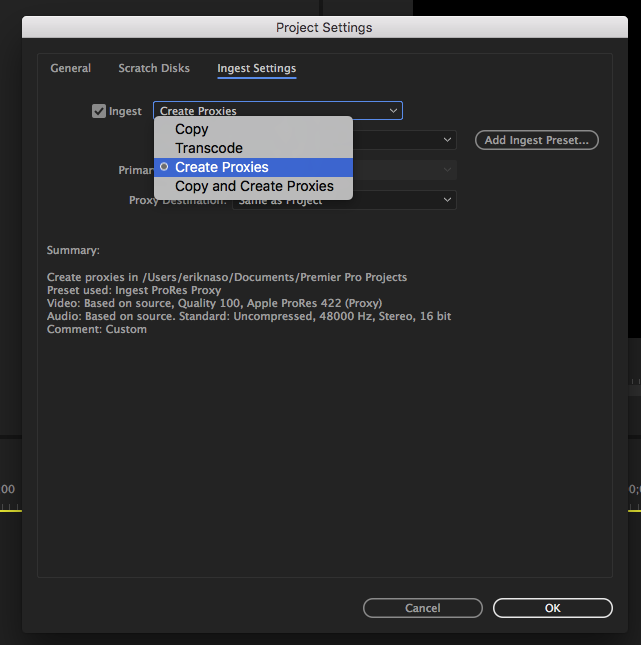
Create Proxies

Select or add a check to INGEST and choose Create Proxies. In the video tutorial I showed you a two step method of creating a Encoding and an Ingest preset. The good news is you don’t have to create another one.
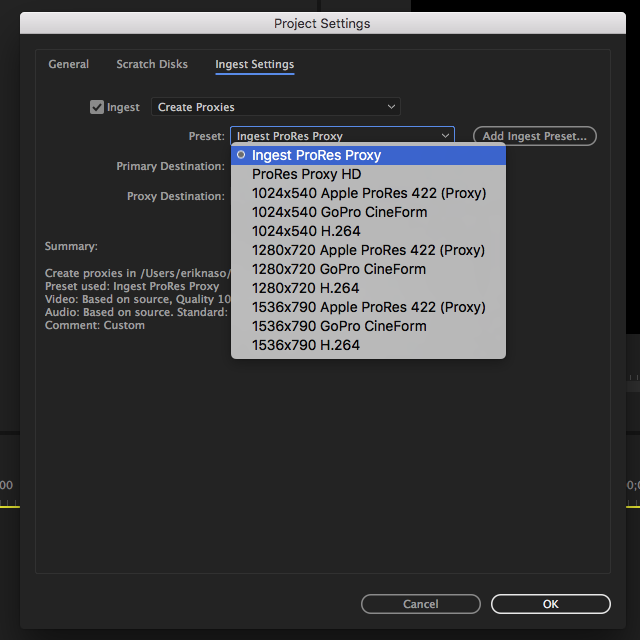
Ingest ProRes Proxy

You can choose one of the Adobe provided presents or even better use the one you created for ProRes Proxy.

Thats it!

Now when you import media Premiere Pro will automatically transcode the Proxies and place them in the projects folder.

But wait…. One more method

You can also attach a Proxy file to a clip.
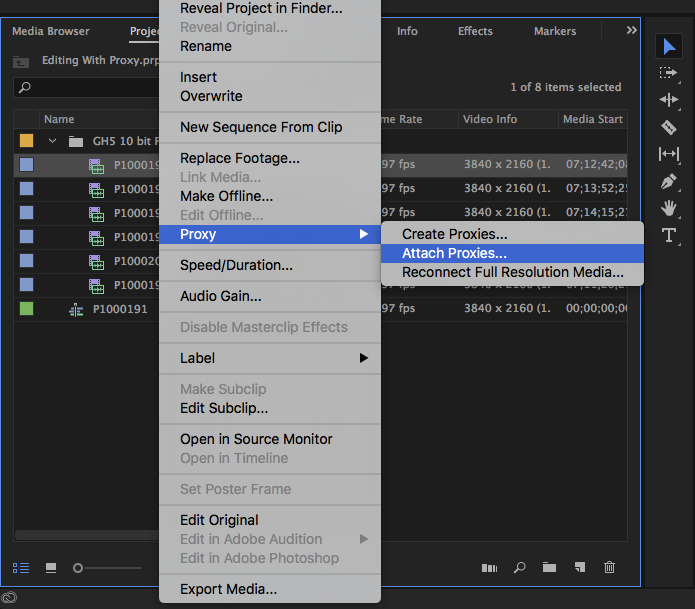
Attach Proxy

Some cameras create Proxies along side the original media like the C300 MKII and Panasonic VariCam LT or maybe you prefer using a third party transcoding software like EditReady. Then you Attach Proxies to the media by right clicking on the clip and selecting this option under Proxy.

Thanks for coming by! Please help support my site by using the links on this page or bookmark these from my favorite retailers, B&H, Adorama, Zacuto, Amazon.com & Think Tank Photo Using the links cost you nothing extra, but it helps offset the cost of running my blog. Thanks again for coming by eriknaso.com! Interested in buying a new camera? Well I have a course on Lynda.com you should watch that will help you pick the right one for the job.

Erik Naso
Erik Nasohttp://eriknaso.com
I'm a broadcast DP In San Diego. I enjoy sharing what I'm working on and testing new equipment. This blog is also part of giving back. I've learned so much from so many people.
RELATED ARTICLES

1 COMMENT

  1. Hi Eric,

    I was going to buy the iMac Pro this spring, but ROI a little dubious right now. Still on my MacBook Pro and was looking for a way to control and understand the Proxy Process. This was a pretty opportune find! Thanks!

LEAVE A REPLY

Please enter your comment!
Please enter your name here

Most Popular

Recent Comments

David Patterson on It’s been a while…
Allan Crocket (slidemaster) on RodeLink Audio Sample And Testing
Christopher John Taylor on AJA CION Now Shipping
Christopher John Taylor on Benro H8 Fluid Head Hands On Review
CreationHacker on Sony Alpha A7s Hands On Review
Bev Woodworth on Welcome! About Me
Nate Ilardi on Trusmt Follow Focus
Cody Travis Maher on SmallHD DP4 EVF Hands On Review
Jamieson Casacop on Canon C100 Hands On Review
Micaela Hamilton on Canon C100 Hands On Review
Stephen on Welcome! About Me
william scherer on Canon C100 Hands On Review
abdullah öztürk on Subscribe To RSS Feed
Erik Naso on Team Tilta Vanishes
Robb Harriss on Team Tilta Vanishes
Hossien on Team Tilta Vanishes
Erik Naso on Team Tilta Vanishes
Hossien on Team Tilta Vanishes
Erik Naso on Team Tilta Vanishes
Dave Harrison on Canon C100 Hands On Review
James Knightly on Canon C100 Hands On Review
Mário Matos on The New Sony F5 Has Landed
Mário Matos on GH3 Rumored Specifications
Erik Naso on Trusmt Follow Focus
Bob Naran on Trusmt Follow Focus
Erik Naso on Trusmt Follow Focus
bernie rao on Trusmt Follow Focus
Bernie Rao on Trusmt Follow Focus
Erik Naso on Trusmt Follow Focus
Bernie Rao on Trusmt Follow Focus
Erik Naso on Welcome! About Me
Michelle on Bryce Canyon Utah
Erik Naso on Welcome! About Me
Hunter on Welcome! About Me
Erik Naso on Welcome! About Me
Hunter on Welcome! About Me
Ric Shellhammer on The Making Of A Shoulder Rig
Erik Naso on Welcome! About Me
Paul Richards on Welcome! About Me
Video Ipad Tutorials on Virgin River Canyon