

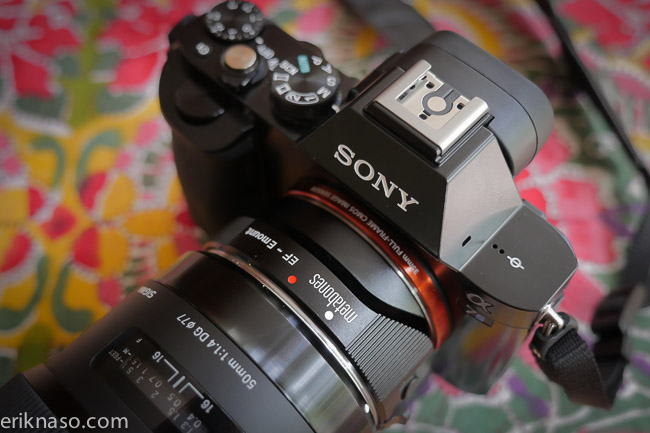
New Sony firmware 2.0 update released today for the A7/A7r/A7s and A6000 The winner in the group is the A6000 getting XAVC-S recording. The update improves the startup time too but that’s all the A cams get. No real game changing updates to the A7 cameras. Improves camera function and provides picture improvement for the following lenses.
- Sony Distagon T* FE 35mm f/1.4 ZA Lens
- FE 24-240mm f/3.5-6.3 OSS
- FE 28mm f/2
- FE 90mm f/2.8 Macro G OSS L
I do wish Sony would give some love to the A7s camera like allowing the shutter to trigger video record maybe white balancing in S Log mode?
What Does This Do?This utility updates the ILCE-7S camera firmware to version 2.00 and provides the following benefits:Improvements over version 1.20:
- The startup time is shortened
Benefits provided by previous updates and included in version 2.00:
- Improves camera function and provides picture improvement for the new lenses (SEL35F14Z, SEL24240, SEL28F20, SEL90M28G)
- Improves the power-on time after downloading the Smart Remote Control application of the PlayMemories Camera Apps™.
A6000 Update:
- The startup time is shortened
- Adds support for recording movies in the XAVC S format that supports high bit rates (NTSC: 60p/30p/24p PAL: 50p/25p)
Notes:- When recording a movie in the XAVC S format, you must use a Class 10 or faster SDXC card.
- If you format the memory card, all of the data will be erased. Please make sure that the data on the card is backed up before formatting the card.
Benefits provided by previous updates and included in version 2.00:
- Improves camera function and provides picture improvement for the new lenses (SEL35F14Z, SEL24240, SEL28F20, SEL90M28G)
- Improves the power-on time after downloading the Smart Remote Control application of the PlayMemories Camera Apps™.
Sony a7 ILCE7K/B Firmware Update 2.o0: HERE
Sony a7 RILCE7R/B Firmware Update 2.o0: HERE
Sony a7S ILCE7S/B Firmware Update 2.o0: HERE
Sony a6000 ILCE6000L/B Firmware Update 2.o0: HERE
Follow me on Twitter @eriknaso and check out my page on Facebook.
Thanks for coming by! Please help support my site by using the links on this page or bookmark these from my favorite retailers, B&H, Adorama, Zacuto, Amazon.com & Think Tank Photo. Using the links cost you nothing extra, but it helps offset the cost of running my blog. Thanks again for coming by eriknaso.com!


I have had the a6000 for a few weeks. I updated with the firmware 2.0. I did not notice the red light by the battery door before and it seems to flash while a slight grinding noise during the focusing.
I hear it when turning on and off…is this the firm ware or is something wrong with the camera.
As I mentioned this seems to have just started after updating the firmware 2..0
~ Keith
That doest sound like a firmware issue. I think it’s a coincidence
After firmware update: My camera won’t turn on and I the [same] red light on the battery door is on –this never came on before. Trying to figure out what’s what because I think I just turned my camera into a non-camera… ta da!
Sounds like the camera is bricked. Try putting a fresh battery in the a6000 and reinstalling from scratch. Follow the directions to the letter. Hopefully it will take the second time. I had this happen with the A7s and eas able to fix it with redo. Good luck!
Hey I was so excited for this update. I love that the result XAVC videos are MP4 files, easier to view, and the upgraded quality.
Yesterday I was shooting some videos of my friends band performing and the video recording kept stopping and showing me what mode/setting I had the camera in, definitely seemed like a bug. I was able to get some videos but a few times it would just show me the mode the camera was in (manual btw) and then the recording would stop.
Thinking this was limited to just vide capture, it also occurred while taking photos later.
Any one else having this issue? Any suggestions?
wheres the xavcs codec for the A7 I cant find it anywhere