


I have a few projects that require updates on a weekly or biweekly basis. These are news promos to show what we covered over the week. The editorial process is to get a bunch of clips and find what works best. This can build up a pretty big project over time with unused footage and I needed to fugue out how to get ride of the what didn’t make the cut but not accidentally delete footage that I have in current sequences. This process is for transcoded footage or clips that are not from native media cards that have been copied in whole to your media drives. Don’t go deleting clips from the cards contents folder this way. It could mess up the entire card structure..
click on the pic to make it bigger.

I started poking around in the Metadata Display which is found in the projects tab just to the right. Click on the arrow and you have lots of choices. Click on the Premiere Pro Project Metadata and you have a whole slew of options that you will be able to see when you have a bin open. As you can see in the blue outline I checked Video Usage.
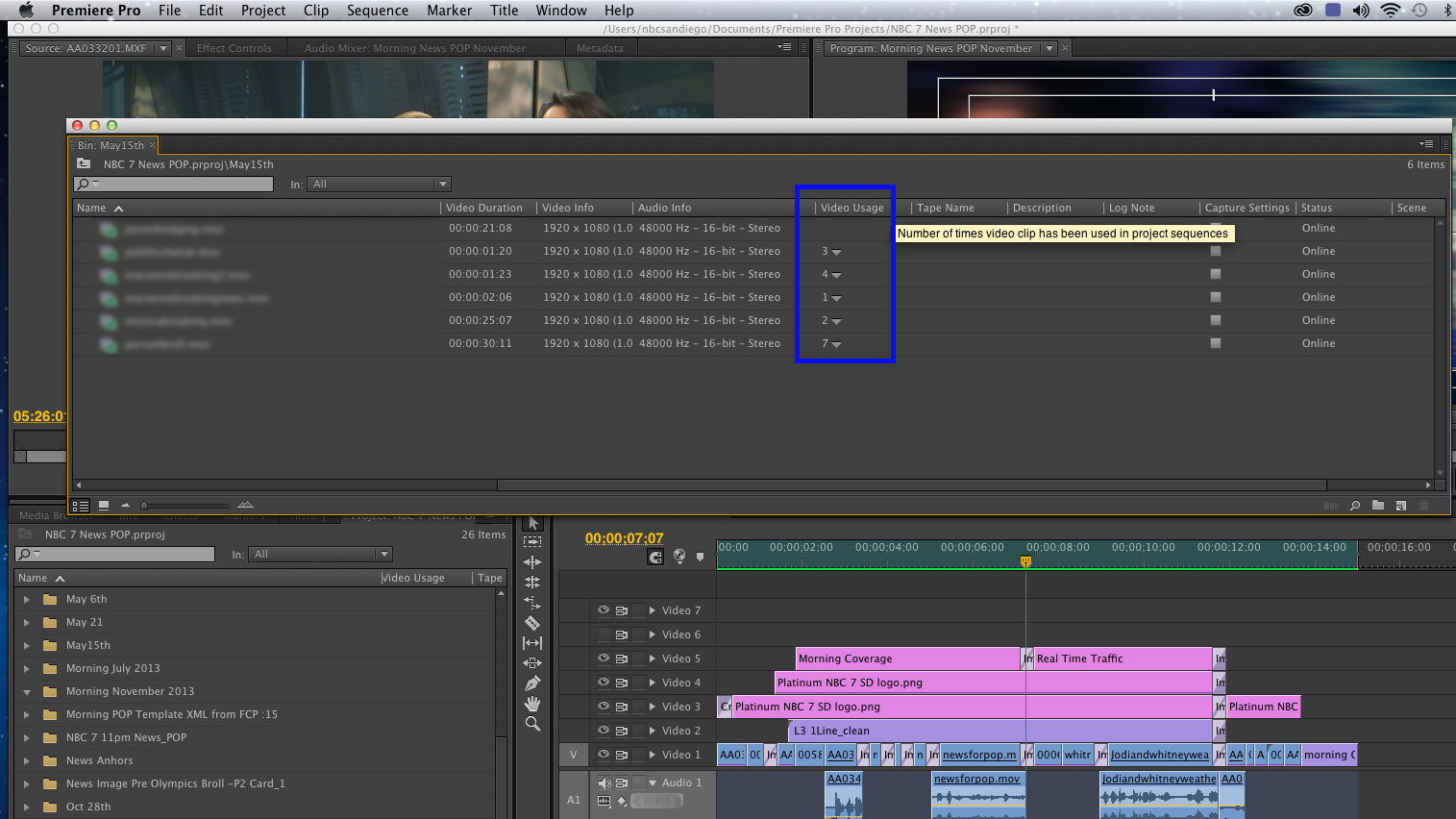
Now when I scroll through my Metadata I can see if I’ve used the clip in a sequence, as well as what sequence the clip is used in just by clicking on the arrow next to the number. The number represents how nay sequences it’s in. If you don’t see a number then its unused. Thats very cool!
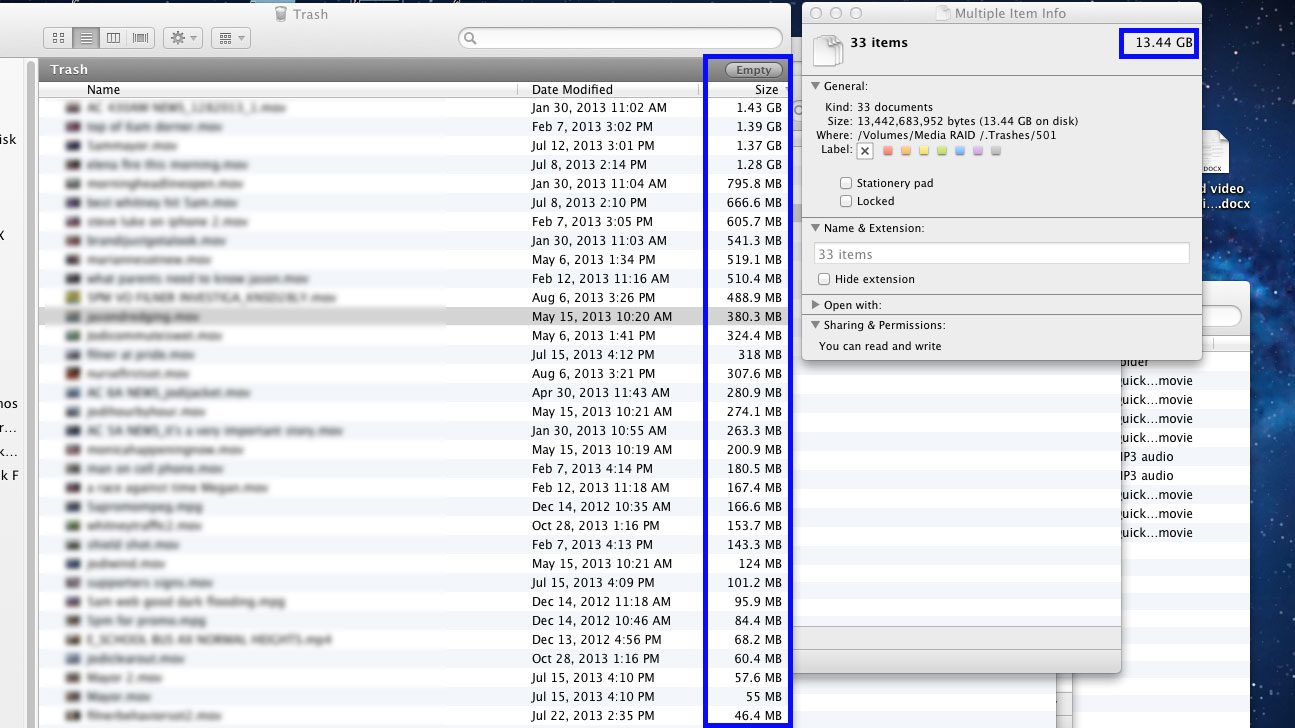
After going thought the entire project I found over 13 GB of unused media. It’s a little time consuming to do this but worth it! What I did was hunt down each unused clip then right click on it and select Revel In Finder. Then deleated the clip. This of course made Premiere Pro want to search for the offline clip but Ihit cancel and deleate the clip. If there is a easier way around this part I’m interested.
Thats it! I hope this helps clean up a few of your projects. I know I sure could use an extra 13 GB of space.
Thanks for coming by! Please help support my site by using the links on this page or bookmark these from my favorite retailers, B&H, Adorama, Zacuto, Amazon.com & Think Tank Photo. Using the links cost you nothing extra, but it helps offset the cost of running my blog. Thanks again for coming by eriknaso.com!
[adsenseyu1]
