

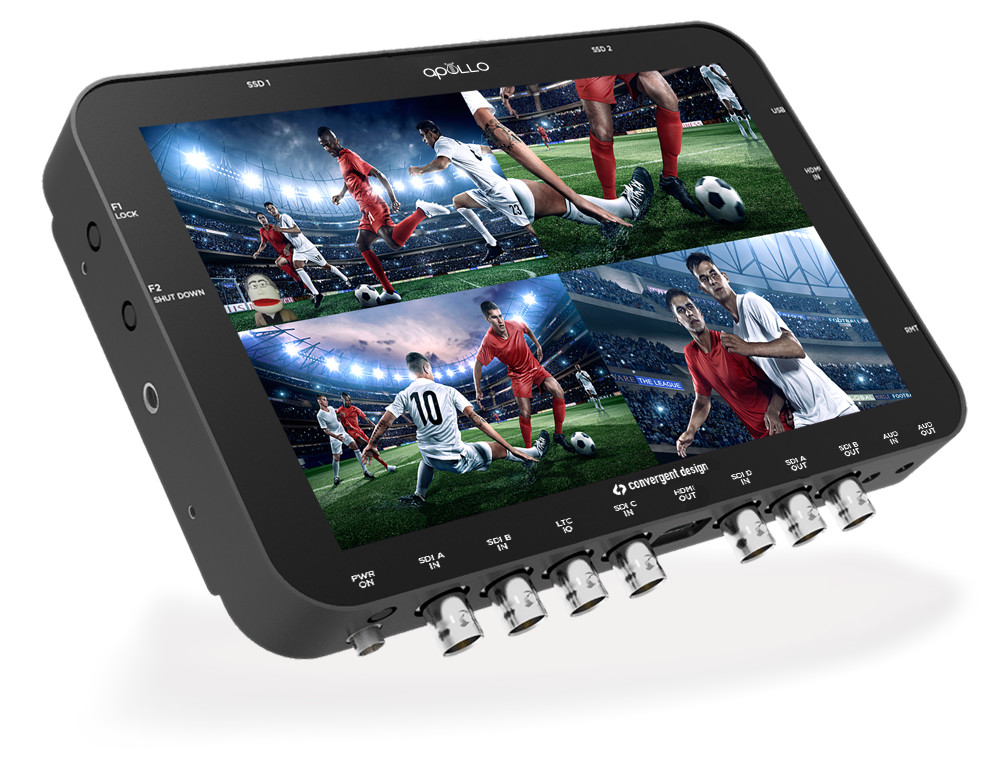
Those crafty folks at Convergent Design Have done it again! They keep taking the 7Q+ to heights and now they introduce the apollo. An all in one four camera Recorder, Switcher/Monitor.
Apollo is scheduled for release in December 2015. Manufacturer’s list is $3995, with an SSD to USB3 adapter, a 5-pack of SSD mounting handles, and a universal AC power supply included, and if you are a 7Q+ owner you can upgrade to the apollo for $1795.
Third-Party SSD Support The Apollo supports approved third party SSDs (optional SSD Handle kits required to mount). Qualified third-party SSDs include:
- Samsung 850 Evo PRO in 128GB, 512GB, and 1TB
- Samsung 850 Evo 1000GB
Here is all the info on the new Apollo.
|
Recording
|
|
Switching/Monitoring
|
|
Other Specs
Additional features in free firmware update (Early 2016)
|
Press Release
|
(Colorado Springs, CO) 10/28/15 – Today Convergent Design announces Apollo, the industry’s first truly portable HD multicamera recorder/switcher. Apollo can simultaneously record up to four HD video signals, along with a fifth channel of either a live-switch between the four or a quad-split reference view. Apollo can also function as a four-channel live switcher while simultaneously recording the four isolated HD video signals. The size of a small tablet and able to run for hours on a camcorder battery, Apollo is truly portable and the only device of its kind that can both record multiple HD camera feeds as well as live-switch between them. It’s a production studio in the palm of your hand. All cameras stay in perfect sync with matching timecode. A single SSD contains all of the multicamera media, dramatically reducing turnaround time for post. There are two SSD slots on Apollo, allowing for twice the record time or mirror recording for safety backup. Apollo utilizes industry-standard 2.5” SSD media, either manufactured by Convergent Design or qualified 3rd party models. “Apollo is designed to answer many modern production needs.” Using the new Apollo Media Manager™ App, recordings can be exported as separate Apple ProRes files or as a single multicamera QuickTime file that drops directly into the timeline of supporting NLEs such as Final Cut Pro-X. “Apollo is designed to answer many modern production needs.” said Convergent Design President Mike Schell. “Field producers can take it on location, record from any four HD cameras, view a quad-split playback on the way home and drop all four cameras in perfect sync into a single timeline to dive immediately into an edit. Reality programs shot in cramped cars with tiny cameras can slip Apollo in the glove box or under a seat. A concert performance can be captured by recording four camera ISOs along with recording a Line Cut that can also be sent to a large live display at the venue. Live-streamed events can be covered with four-camera switching without having to bring in a large flypack. Apollo can also be used as a secondary recorder/monitor; using our battery & wireless video receiver bracket makes for a great handheld Director’s Monitor. And Apollo’s advanced built-in Image Analysis tools can be used to match the cameras during setup. Apollo addresses many modern multicamera field production needs in a single 1” thick device.” Additional functions are planned for release in the first quarter of 2016, including two-channel 4K/UHD video recording, DNxHD recording, and cascade interconnect between up to three Apollos for up to twelve HD channel or six 4K/UHD channel simultaneous recording. These and other additional functions will be made available via a free firmware update. A remote keypad control unit will be offered along with a rack mount and other accessories. |
Pretty impressive to get all these features into the 7Q+. Just goes to show how powerful it is. The Apollo is going to make multi-camera capture easier than ever before.
Follow me on Twitter @eriknaso and check out my page on Facebook.
Thanks for coming by! Please help support my site by using the links on this page or bookmark these from my favorite retailers, B&H, Adorama, Zacuto, Amazon.com & Think Tank Photo. Using the links cost you nothing extra, but it helps offset the cost of running my blog. Thanks again for coming by eriknaso.com!


So is the deal that upgrading the 7Q will cost as much or more than Apollo? Just not clear to me the difference, otherwise.
Nope. The apollo new is $3,995.00. It’s basically a 7Q+ with this new advanced feature. If you own a 7Q+ you can get a software upgrade for $1795.