

Last week I finally broke down and bought DaVinci Resolve Studio. Yes I decided to go for it! Why? Well for one from I understand the studio version supports the 10bit files that come out of the Panasonic GH5 and thats a big deal for since I’ve made the GH5 my main camera for blogging. Plus I want to get much more familiar with the new V.14 Beta 5.
DaVinci Resolve keeps getting better as an NLE and now with the added Fairlight audio suite the software is looking oh so good. Could this replace Premiere Pro for me? Well that I doubt but it sure will get more use for my personal stuff like gear reviews. At work I’m all Premiere Pro and DaVinci Resolve.
In the video I explain the main way to Patch Audio but you can also do this in the Mixer.
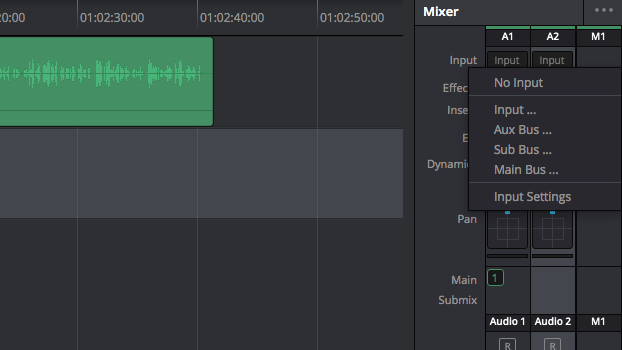
In the MIXER click on the INPUT and Select “Input”
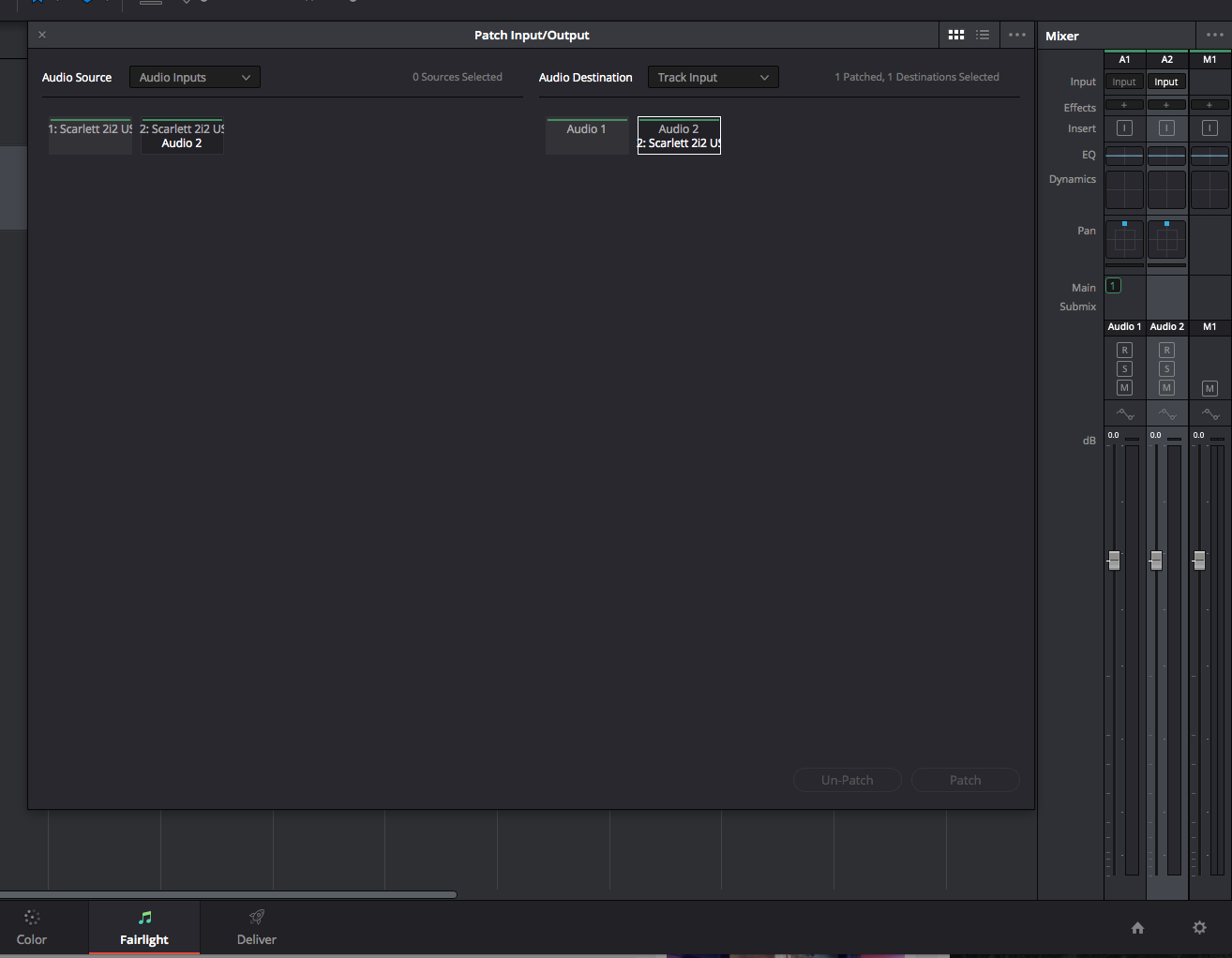
The same window opens as it would if selected under “FAIRLIGHT” in the Menu Bar. Make selection and click Patch. Done!
I hope this help you. I really like being able to record my voice overs direct into DaVinci Resolve. I did this in Premiere Pro and love the work flow. Hopefully the audio input level meters will be added in the next update.
Want to download DaVinci Resolve 14 Beta 5? Here you go!
Thanks for coming by! Please help support my site by using the links on this page or bookmark these from my favorite retailers, B&H, Adorama, Zacuto, Amazon.com & Think Tank Photo Using the links cost you nothing extra, but it helps offset the cost of running my blog. Thanks again for coming by eriknaso.com!
Interested in buying a new camera? Well I have a course on Lynda.com you should watch that will help you pick the right one for the job.
[adsenseyu1]


I’ve been anxiously waiting for the release of Resolve 14 to upgrade to the Studio version because I’d rather avoid a USB dongle key if possible. Did you buy Studio from B&H and does it come with a dongle or an unlock code?
I bought a dongle because I want to run it on two computers. The new version has a serial key.
Thanks for the confirmation. I’m fairly sure the serial key won’t be available until the Resolve 14 Studio release version goes live.
DaVinci Resolve 14 Studio Beta 5 is available if you have a dongle. Direct download from BMD in the support section